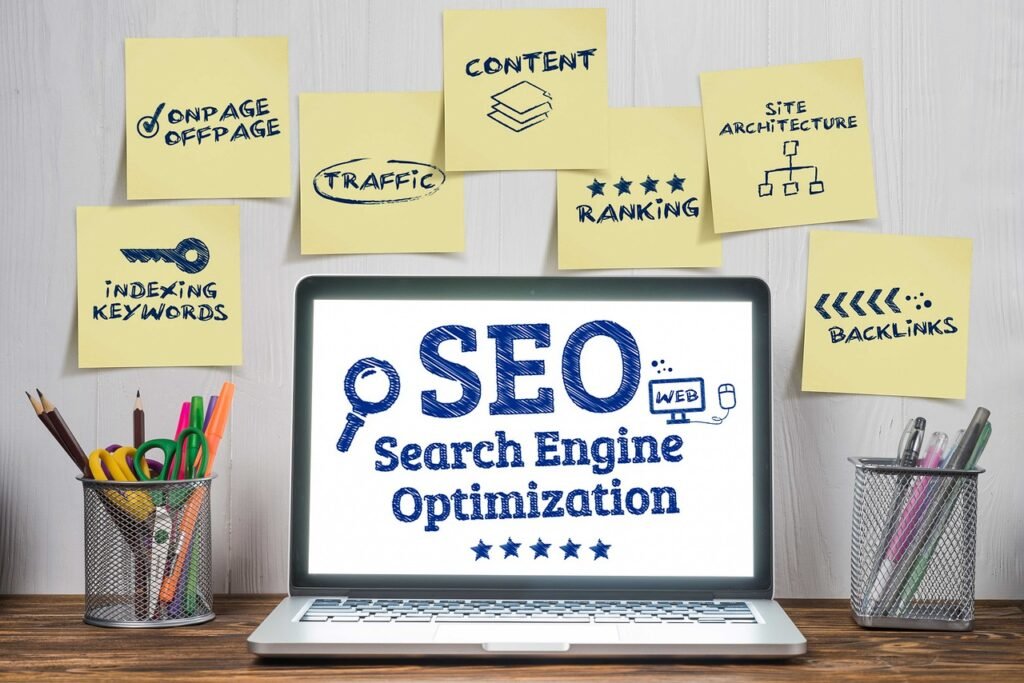
SEO is becoming more competitive every year. From finding the right keywords to creating optimized content, analyzing competitors, fixing technical problems, and monitoring rankings, SEO can take a lot of time.
The good news is that AI-powered SEO tools can automate many of these tasks and help marketers, bloggers, businesses, and beginners work more efficiently.
In this guide, we’ll explore the top 10 free AI SEO tools you can use in 2026 to improve your website’s visibility, content quality, technical SEO, and organic traffic.
Important: “Free” does not always mean unlimited. Some tools provide completely free access, while others offer limited free features or daily searches.
What Are AI SEO Tools?
AI SEO tools use artificial intelligence, automation, and large datasets to help with different parts of search engine optimization.
Depending on the tool, you can use AI for:
- Keyword research
- Search intent analysis
- Content ideas
- Content optimization
- Meta titles and descriptions
- SEO audits
- Technical SEO
- Competitor research
- Backlink analysis
- Search performance monitoring
- AI-search visibility
Instead of manually performing every SEO task, you can use these tools to save time and identify opportunities faster.
Top 10 Free AI SEO Tools
1. Google Search Console
Best for: Website performance, keywords, indexing, and Google Search data
Google Search Console should be one of the first tools installed on any website.
It provides first-party information about how your website performs in Google Search. You can see search queries, clicks, impressions, average position, indexed pages, and indexing-related issues.
Google has also expanded Search Console’s usefulness for content published on platforms such as YouTube, Instagram, TikTok, and X, making it increasingly useful for content creators as well as website owners.
What you can use it for:
- Find keywords your website already ranks for
- Discover pages receiving Google traffic
- Identify pages with high impressions but low CTR
- Monitor indexing
- Submit URLs for indexing
- Find search performance opportunities
- Monitor changes in organic traffic
Why it is useful
One of its biggest advantages is that the data comes directly from Google rather than being estimated by a third-party SEO platform.
Best for: Beginners, bloggers, businesses, SEO professionals, and website owners.
2. Ahrefs Free
Best for: SEO audits, backlinks, organic keywords, and website analysis
Ahrefs is well known as a professional SEO platform, but it also provides free access to several useful SEO features.
Ahrefs’ current free offering includes tools such as Site Explorer, Site Audit, and Web Analytics for eligible/verified websites. Its Site Audit can identify more than 170 technical and on-page SEO issues.
You can use Ahrefs Free to:
- Analyze your website
- Find technical SEO problems
- Check organic keywords
- Analyze backlinks
- Identify pages generating organic traffic
- Monitor website health
Why it is useful
Ahrefs can complement Google Search Console because it provides a different perspective on your website, especially for technical SEO and backlink analysis.
Best for: Website owners and SEO professionals.
3. Google Trends
Best for: Finding trending topics and understanding search demand
Before writing an article, you should know whether people are actually interested in the topic.
Google Trends helps you compare search interest and identify topics that are growing, declining, seasonal, or consistently popular.
Example
Suppose you want to create content about:
- AI SEO tools
- SEO tools
- Digital marketing tools
- AI content tools
You can compare these topics in Google Trends and identify which topic has stronger or growing search interest.
How to use it for SEO:
- Enter your main topic.
- Compare related keywords.
- Check the trend over time.
- Explore related queries.
- Look for seasonal opportunities.
- Create content around topics with meaningful demand.
Best for: Bloggers, content marketers, and SEO strategists.
4. Google Keyword Planner
Best for: Keyword research and keyword ideas
Google Keyword Planner is primarily designed for Google Ads, but it can also be useful for SEO keyword research.
You can use it to discover keyword ideas related to your products, services, or content topics.
You can find:
- Keyword variations
- Related searches
- Search-volume estimates
- Competition information
- Commercial keyword ideas
Example
If your website is about digital marketing, you could start with:
digital marketing
Then explore related ideas such as:
- digital marketing agency
- digital marketing services
- SEO services
- social media marketing
- Google Ads services
- content marketing
Use the keyword ideas as a starting point, then validate them with other SEO data.
Best for: Keyword research and content planning.
5. Semrush
Best for: Keyword research, competitor research, and SEO analysis
Semrush is another popular professional SEO platform that provides limited free access to several features.
Its tools can help you investigate keywords, competitors, domains, backlinks, and content opportunities.
You can use the free features to:
- Research keywords
- Analyze domains
- Find competitors
- Discover content ideas
- Check backlinks
- Explore SEO opportunities
The free version has usage limitations, so it is better suited to occasional research rather than large-scale SEO campaigns.
Pro tip
Don’t simply copy the keywords your competitors rank for.
Instead, identify:
- Keywords relevant to your business
- Keywords where competitors have strong rankings
- Topics your competitors haven’t covered well
- Search intent behind those keywords
Then create better, more useful content.
Best for: SEO professionals, agencies, and marketers.
6. Ubersuggest
Best for: Beginner-friendly keyword research
Ubersuggest is a useful option for beginners who want a simpler SEO interface.
You can use it to explore keywords, content ideas, SEO difficulty, and competitor information.
Useful features include:
- Keyword ideas
- Content ideas
- Keyword overview
- Competitor research
- Backlink information
- Site audits
The free version has limitations, so you may need to work within its daily usage limits.
Best for: Beginners and small businesses.
7. Screaming Frog SEO Spider
Best for: Technical SEO audits
Screaming Frog is different from AI writing tools. Its major strength is crawling websites and identifying technical SEO issues.
The free version can crawl websites up to a limited number of URLs, making it particularly useful for smaller websites. Current SEO tool comparisons commonly list the free version at a 500-URL crawl limit.
You can identify issues such as:
- Broken links
- Missing page titles
- Duplicate titles
- Missing meta descriptions
- Redirect problems
- Canonical issues
- Status-code errors
- Indexability problems
Why technical SEO matters
Even excellent content can struggle if search engines have difficulty crawling, understanding, or indexing your website.
Best for: Technical SEO and website audits.
8. Google PageSpeed Insights
Best for: Website speed and Core Web Vitals
Website performance affects user experience and can influence your SEO strategy.
Google PageSpeed Insights analyzes a webpage and provides performance information along with recommendations for improvement.
You can use it to investigate:
- Loading performance
- Mobile performance
- Desktop performance
- Core Web Vitals
- Performance opportunities
- Technical recommendations
Common improvements include:
- Compressing images
- Reducing unnecessary JavaScript
- Improving server response time
- Using browser caching
- Optimizing fonts
- Removing unnecessary resources
Best for: Developers, SEO professionals, and website owners.
9. Bing Webmaster Tools
Best for: Bing SEO and additional search performance data
Google isn’t the only search engine that can send organic traffic to your website.
Bing Webmaster Tools provides website owners with tools for monitoring and improving their visibility in Bing.
It can complement Google Search Console and give you another source of search and technical SEO information.
Bing has also introduced AI-focused reporting, including an AI Performance report that can help website owners understand how their content appears in AI-generated answers.
You can use it for:
- Search performance
- Website indexing
- Technical SEO
- Keyword information
- Site scanning
- AI-search visibility
Best for: Website owners who want to optimize beyond Google.
10. AI Writing & SEO Assistants
Best for: Content ideas, outlines, optimization, and productivity
AI assistants can be useful during the content creation process, especially for brainstorming and organizing information.
You can use AI to help generate:
- Blog topic ideas
- Content outlines
- FAQ ideas
- Meta title variations
- Meta descriptions
- Content briefs
- Internal-linking ideas
- Content improvement suggestions
However, AI-generated content should not simply be published without editing.
Your content should provide original information, useful examples, accurate facts, and genuine value to readers.
AI should be treated as a productivity tool rather than a replacement for expertise and editorial judgment.
Free AI SEO Tools Comparison
| Tool | Best For | Free Access |
|---|---|---|
| Google Search Console | Search performance & indexing | Yes |
| Ahrefs Free | Audits & backlinks | Yes, with limitations |
| Google Trends | Trends & topic research | Yes |
| Google Keyword Planner | Keyword ideas | Yes |
| Semrush | SEO & competitor research | Limited |
| Ubersuggest | Keyword research | Limited |
| Screaming Frog | Technical SEO | Limited free version |
| PageSpeed Insights | Website performance | Yes |
| Bing Webmaster Tools | Bing SEO & AI visibility | Yes |
| AI Writing Assistants | Content planning & optimization | Varies |
How to Use These Free SEO Tools Together
Using one SEO tool is helpful, but combining several tools can create a much stronger workflow.
Here’s a simple process you can follow.
Step 1: Find a Topic
Start with Google Trends.
Look for topics that have consistent or growing interest.
Step 2: Research Keywords
Use Google Keyword Planner, Ubersuggest, or Semrush to find relevant keyword variations.
Don’t focus only on search volume.
Consider:
- Search intent
- Competition
- Relevance
- Business value
- User needs
Step 3: Analyze Your Existing Website
Use Google Search Console to discover:
- Current rankings
- Existing traffic
- High-impression keywords
- Pages that need improvement
Step 4: Perform a Technical Audit
Use Ahrefs Free or Screaming Frog to identify technical and on-page problems.
Step 5: Improve Your Content
Use AI tools to brainstorm ideas, organize your article, create outlines, and identify missing topics.
Then add your own expertise, examples, data, and experience.
Step 6: Improve Page Speed
Run important pages through PageSpeed Insights and address the biggest performance issues.
Step 7: Monitor Results
Return to Google Search Console regularly to see whether your pages are gaining impressions, clicks, and rankings.
Can Free AI SEO Tools Really Improve Google Rankings?
Yes—but the tools themselves do not improve rankings.
They help you make better SEO decisions.
For example:
A tool can identify a keyword opportunity.
You still need to:
- Understand the search intent
- Create genuinely useful content
- Improve the page experience
- Build relevant internal links
- Earn quality backlinks where appropriate
- Keep the information accurate and updated
SEO tools provide data and recommendations. Your strategy and execution determine what you do with that information.
Are Free SEO Tools Enough for Beginners?
For many beginners, yes.
A small website does not necessarily need an expensive SEO subscription from day one.
A practical starting stack could be:
Google Search Console + Google Trends + Google Keyword Planner + PageSpeed Insights + Ahrefs Free
These tools can cover a large portion of the basic SEO workflow without requiring a large software budget.
Recent comparisons of free SEO tools similarly highlight Google Search Console, Ahrefs’ free tools, Google Trends, Bing Webmaster Tools, and Screaming Frog as useful components of a $0 SEO stack.
Free vs Paid SEO Tools
Free tools are excellent for learning SEO and managing smaller websites.
However, you may eventually need paid software if you require:
- Large-scale keyword research
- Extensive competitor analysis
- Historical data
- Large backlink databases
- Multiple projects
- Automated reporting
- Advanced rank tracking
- Agency-level workflows
The right approach is not to buy every tool.
Start free, understand your SEO requirements, and upgrade only when your workflow reaches the limitations of the free tools.
Final Thoughts
AI is changing how SEO professionals research keywords, analyze websites, create content, and monitor search visibility.
But you don’t need an expensive collection of software to get started.
Tools such as Google Search Console, Ahrefs Free, Google Trends, Google Keyword Planner, Semrush, Ubersuggest, Screaming Frog, PageSpeed Insights, Bing Webmaster Tools, and AI writing assistants can give beginners and small businesses a strong starting point.
The most important thing is to use these tools strategically.
Don’t use AI simply to create more content. Use AI and SEO tools to create better content, solve real user problems, and make smarter decisions.
If you combine good SEO fundamentals with the right free tools, you can build a strong foundation for increasing your website’s organic visibility.
Frequently Asked Questions
1. What is the best free AI SEO tool?
There isn’t one tool that is best for every SEO task. Google Search Console is an excellent starting point because it provides first-party Google Search performance data.
2. Are AI SEO tools completely free?
Some are completely free, while others offer limited free plans. Always check the current limits before choosing a tool.
3. Can AI tools do SEO automatically?
AI can automate many tasks, but successful SEO still requires strategy, human review, technical implementation, and quality content.
4. Which free SEO tool is best for beginners?
Google Search Console, Google Trends, Google Keyword Planner, and PageSpeed Insights are excellent starting points.
5. Should I use multiple SEO tools?
Yes. Different tools provide different types of information. Combining tools can give you a more complete view of your website.
6. Do AI SEO tools guarantee higher Google rankings?
No. No legitimate SEO tool can guarantee rankings. Tools can help you identify opportunities and problems, but rankings depend on many factors, including relevance, quality, technical accessibility, competition, and search intent.